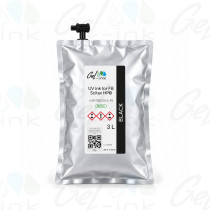
Compatible chip (ink profiler) for HP FB250 UV ink – HP Scitex FB500 / FB700
Compatible chip (ink profiler) sold by Gel-Ink (Pont-Évêque, France), for 3 L pouches of UV ink compatible with HP FB250 on HP Scitex FB500, FB550, FB700, FB750 and FB950 flatbed printers. Sold individually in 6 colours: Black, Cyan, Magenta, Yellow, Light Cyan and Light Magenta.
On these printers, each ink has its own chip, called a “profiler” in the HP documentation. It plugs in near the pouches, in the slot for its colour. The machine reads the ink type and colour from it, and records the estimated ink quantity on it.
A compatible chip is supplied with each UV Flex ink pouch refilled by Gel-Ink. This reference lets you replace a faulty chip or keep a spare, colour by colour.
Technical specifications
- Type: compatible chip (ink profiler) for pouch ink.
- Matching ink: UV Flex ink compatible with HP FB250, 3 L pouch.
- Colours: Black, Cyan, Magenta, Yellow, Light Cyan and Light Magenta.
- Original ink references: CH219A (Black), CH216A (Cyan), CH217A (Magenta), CH218A (Yellow), CH220A (Light Cyan), CH221A (Light Magenta).
- “3 litres” option: this is the volume of the pouch, not a capacity of the chip.
- Packaging: sold individually, one chip per colour.
Compatibility and use
- Printers: HP Scitex FB500, FB550, FB700, FB750 and FB950.
- Intended for UV Flex ink pouches compatible with HP FB250, refilled by Gel-Ink.
- Designed to be used in place of the chip supplied with the original ink of the same colour.
- Always use the chip of the same colour as the installed pouch.
- Plug it into the slot for that colour: the position of each colour is shown next to the chip docking station.
- After fitting, check the ink quantity, capacity and status shown for that colour on the Ink page of the control panel.
Function
- Passes the type and colour of the installed ink to the printer.
- Stores the estimated ink quantity, tracked by the machine's software.
- Lets you remove a partly used pouch and refit it later while keeping this tracking.
- Used to track the ink level shown on the Ink page; this tracking helps prevent the printheads from de-priming for lack of ink.
Possible symptom: “Waiting for Profilers” message
According to the HP documentation (HP Scitex FB500, FB700 and FB950), this message, shown before printing, means the printer is having trouble communicating with one or more chips. A printer clock that has not been set can also cause it.
- After changing a pouch: remove its chip, turn it 180° and plug it back in.
- With no recent change: remove all the chips, then plug them back in one at a time in their slots; if needed, also turn each chip 180°.
- If the message remains: shut down the printer, remove the chips, wait five minutes, switch it back on, then plug the chips back in one at a time, ten seconds apart.
Gel-Ink – specialist in ink refills and refurbishment for wide-format printers.
Compatible chip, not manufactured by HP. HP is a registered trademark of its owner, mentioned only to indicate compatibility.